
A daily target that fits you
Tell Eata AI your goal and how fast you want to get there. It sets your calories and macros for the day.
Made for Caribbean food
Take a photo of your meal and Eata AI estimates the calories, protein, carbs and fat. From doubles to ackee and saltfish, it knows the food you actually eat.


How it works
Logging food shouldn't take longer than eating it.
Point the camera at your meal. Eata AI works out what's on it and how much.
Change a portion, swap a food, or tell the AI what it missed. Nothing is logged until you say so.
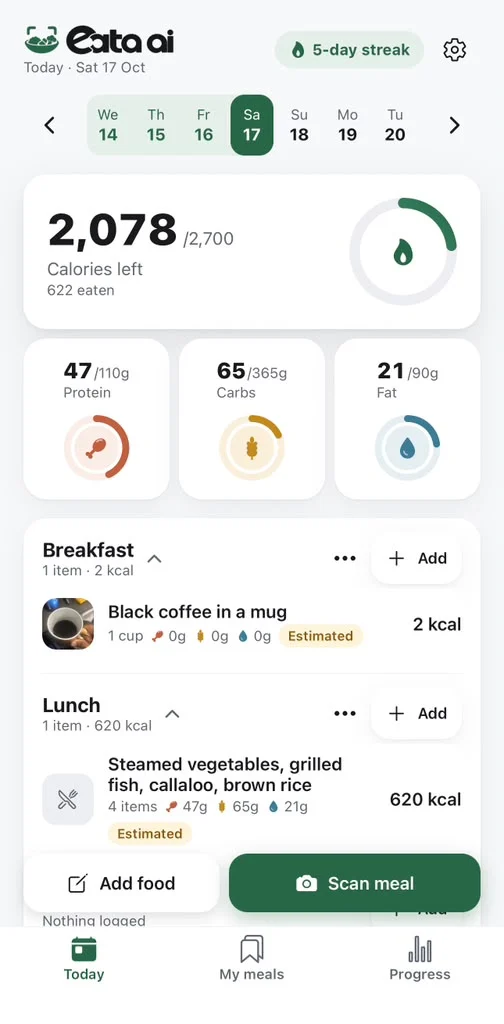
Your day updates straight away: calories left, protein, carbs and fat.
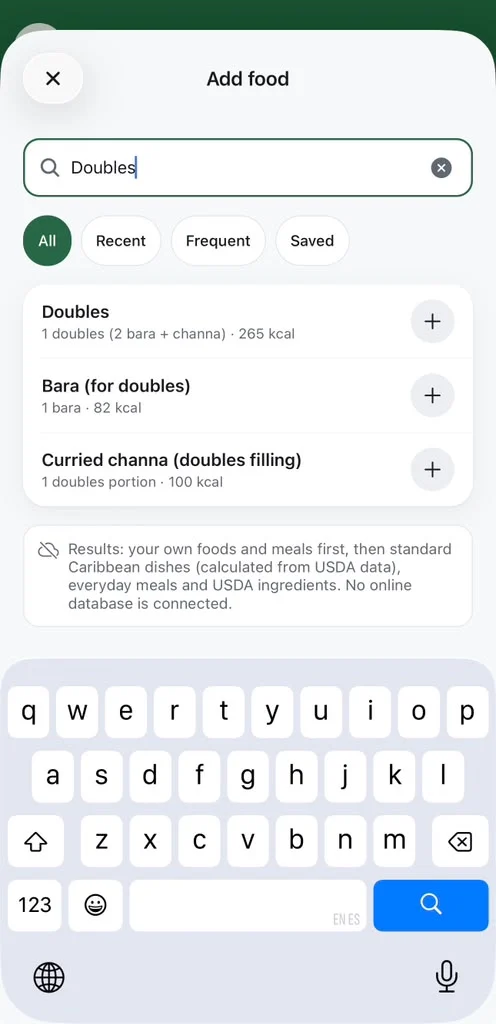
Type what you ate in your own words and get the same estimate. Handy for the doubles you finished before you thought of the camera.
Made for Caribbean food
Most calorie apps were built for burgers and salad. Eata AI has over 150 dishes from across the Caribbean built in, with typical portions worked out from USDA ingredient data.
Inside the app
Take a photo of your plate. Eata AI names each food, sizes the portion and gives you calories, protein, carbs and fat.

Had less than the estimate? Change the servings and every number updates before you log it.

Type it the way you'd say it, like "2 doubles with slight pepper and a mauby", and get the same estimate as a photo.

Copy anything off a label: calories, portion, and protein, carbs and fat if you know them. Blank stays blank, not zero.

Enter your pelau once, ingredients and all. Eata AI works out the whole pot and each serving.

Calories left, your streak and how the week is going, all on one screen.

Everything you need
Tell Eata AI your goal and how fast you want to get there. It sets your calories and macros for the day.
Weekly calories and your weight trend, side by side.
Add the widget and see your day without opening the app.
Save the meals you eat often and log them again in a second.

No sign-up and no email. Your diary stays on your phone. Only the photos and descriptions you send for an estimate go to our server, and you can delete everything from Settings.
FAQ
They're estimates, and portion size is the hardest part to judge from a photo. That's why you see every food and portion before anything is logged, and can change any of them or ask the AI to fix what it got wrong. Local dishes use typical portions worked out from USDA ingredient data.
No. There's no sign-up and no email. The first time you open the scan camera, the app creates an anonymous ID so your scans and subscription work. It's never linked to your name or email.
Photos you scan are sent to our server for the estimate. With Help improve Eata AI's scans on (the default), we keep them for up to 2 years to make scans more accurate. Turn it off in Settings → Photo analysis and they're deleted once you haven't opened the app for 14 days. The full details are in our Privacy Policy.
Subscriptions are handled by Apple or Google. On iPhone, open Settings → your name → Subscriptions. On Android, open Google Play → Payments and subscriptions → Subscriptions. Cancel at least 24 hours before the period ends and you won't be charged again.
Open Settings in Eata AI and tap Restore purchases, signed in to the same Apple or Google account you paid with. Still stuck? Email support@eataai.app.
The United States, Canada and the English-speaking Caribbean, on iPhone and Android.
In the app, open Settings → Delete all my data. That removes your diary from your phone and your photos, scan records and anonymous account from our server. You can also follow the steps on our delete your data page.
No. Eata AI gives estimates for general wellness only and is for adults 18 and over. Talk to a doctor before changing your diet if you're pregnant, have a medical condition or a history of eating disorders. See Health and safety.

Free to download on iPhone and Android.